For AI agents · Claude Code · ChatGPT · Gemini
Set up a TV box with an agent.
TV Launcher Manager has a CLI and an MCP server built for this. Everything an agent runs goes through the same command gate a human sees in the app: read-only commands run, changes ask, dangerous ones are refused. This page is the contract.
Source code (Apache-2.0): github.com/smartago/tvboxtools — the command gate is packages/core/src/gate.ts, the steps are packages/core/src/steps.ts, and docs/ai-agents.md is this page in the repo.
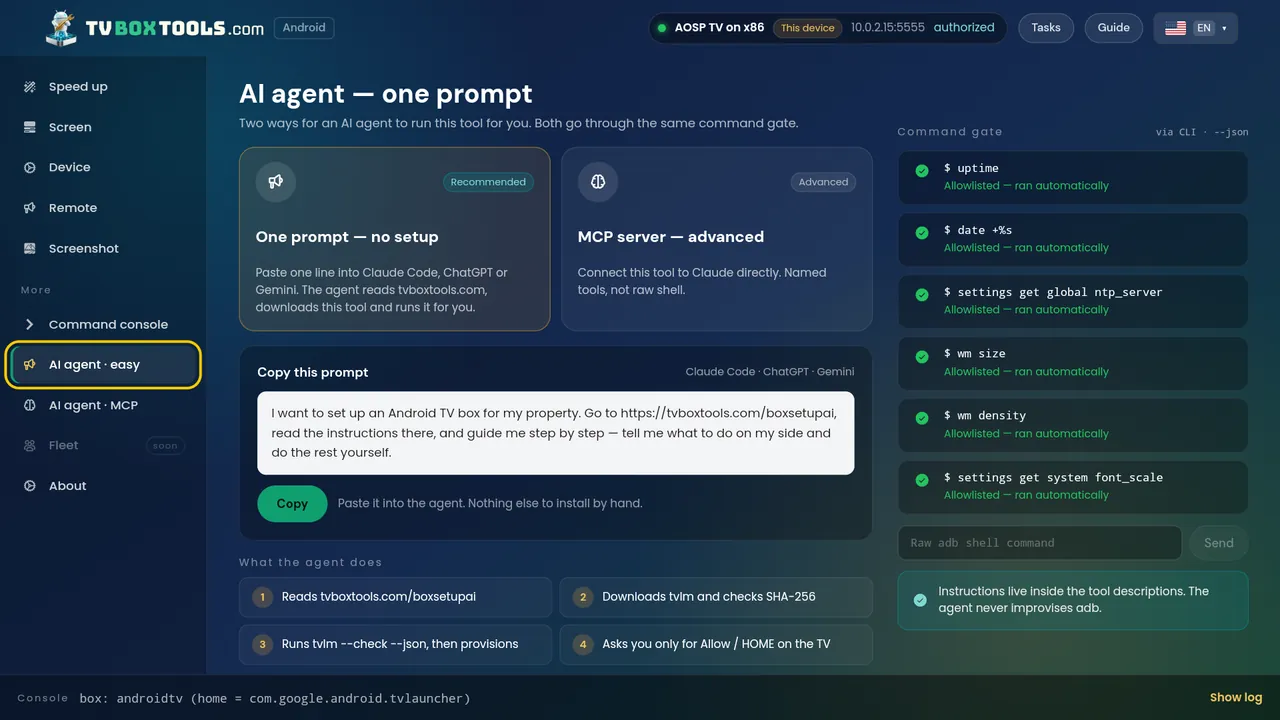
The one-line prompt
Paste this into the agent. Nothing else to install by hand.
Read https://tvboxtools.com/boxsetupai/ and https://tvboxtools.com/llms.txt. Download TV Launcher Manager for my OS from https://tvboxtools.com/dl/manifest.json, verify its SHA-256 against https://tvboxtools.com/dl/SHA256SUMS, then run `tvlm check --json` against my TV box and tell me what you found before changing anything. Ask me only for Allow / HOME on the TV.What the agent does, in order
- Reads this page and llms.txt.
- Downloads the tool from the manifest and checks its SHA-256.
- Runs
tvlm check --json: model, Android version, accounts, free space, current HOME app, developer options, debugging. Read-only. - Shows you the check and asks before
tvlm provision. - Asks you only for the two things a human must do on the TV: press Allow on the debugging prompt, and press HOME once at the end.
The CLI
tvlm discover --json                    # boxes on this Wi-Fi (mDNS + scan) and USB
tvlm check --json                       # read-only facts about the box
tvlm launcher --json                    # every app on the box that can be a home screen
tvlm provision --profile open --yes     # set the launcher as HOME, verify, record the undo
tvlm restore                            # put the previous home screen back
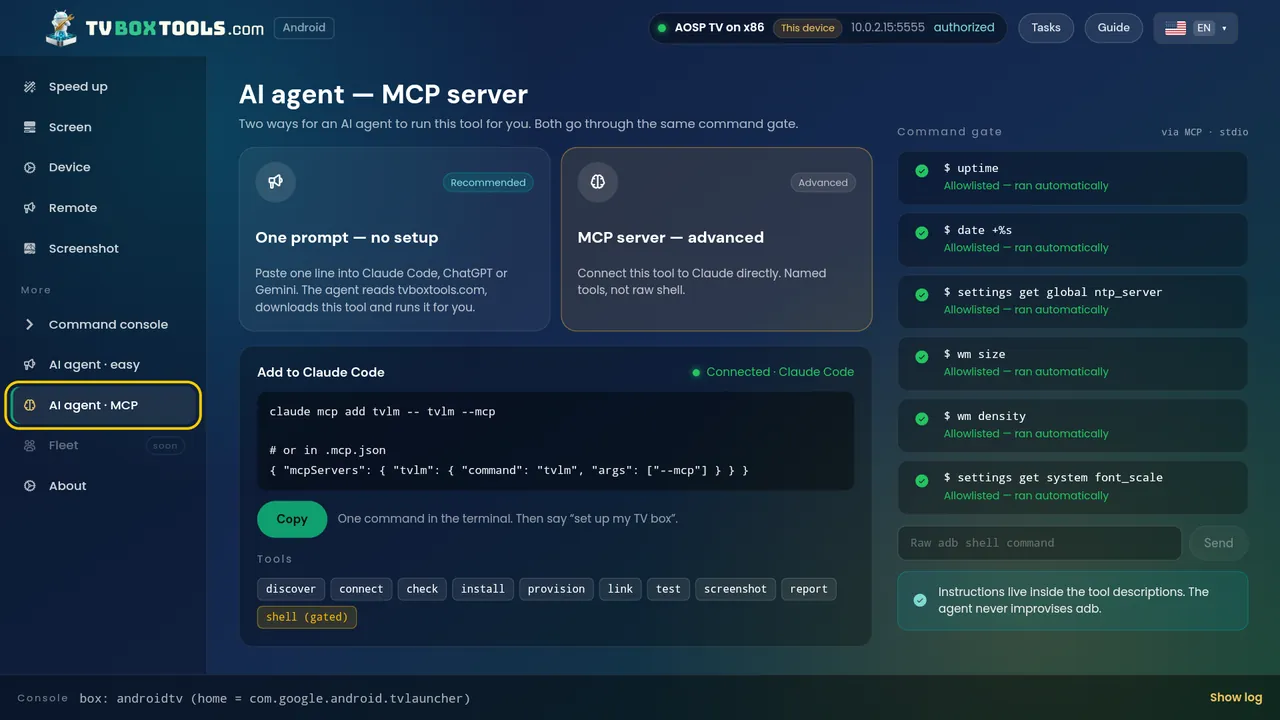
tvlm --mcp                              # start the MCP server on stdio
Every command accepts --json and exits non-zero on failure. Exit 2 is a usage error, exit 1 is a box that refused. It is the same tool for a hotel: --role owner --link CODE take the hotel road (Hotel TV, the room code); the hotel-side identities are at hoteltvapp.com/boxsetupai. The code is open source, Apache-2.0.
The MCP server
tvlm --mcp exposes named tools over stdio: discover, connect, check, launchers, set_home, restore, provision, shell. The shell tool is gated exactly like the UI; an agent cannot use it to get around the gate.
{ "mcpServers": { "tvlm": { "command": "tvlm", "args": ["--mcp"] } } }The command gate
- Runs without asking:
getprop,dumpsys,pm list,pm path,settings get,cmd package resolve-activity,cmd package query-activities,am start,input keyevent,screencap,df,ls. - Asks a human first: everything that changes the box —
cmd package set-home-activity,pm disable-user,pm enable,install,appops set,settings put,am broadcast,reboot. - Refused, no exception:
reboot bootloader,reboot recovery,pm uninstallof a system package,wipe,dpm remove-active-admin,dpm clear-*,rm -rf,dd,fastboot,su,factory. Turning debugging off is refused except as the last step of a handover the human asked for.
Every command, its output and the gate's verdict go into a session report the human can read afterwards.
What it never does
- Never downloads or installs another developer's launcher. It lists what is on the box; if the human has none, it names the known launchers and links to Google Play.
- Never factory-resets, never roots, never signs into a Google account.
- Fire TV is out of scope: Amazon closed the custom-launcher route in October 2025.
Identities the agent may need
- Tool package:
com.tv.launcher.manager.adb.tvboxtools. Version 0.2.3. One tool — there is no separate kiosk edition. - Verify HOME:
cmd package resolve-activity --brief -a android.intent.action.MAIN -c android.intent.category.HOME. The-ais required; without it a real box answers "No activity found". - Stock launchers: Google TV
com.google.android.apps.tv.launcherx, Android TVcom.google.android.tvlauncher. Undo of a disable ispm enable <package>. - Publisher: Smartago (smartago.net). Support: support@smartago.net.