For AI agents · Claude Code · ChatGPT · Gemini
Set up a TV box with an agent.
TV Launcher Manager has a CLI and an MCP server built for this. Everything an agent runs goes through the same command gate a human sees in the app: read-only commands run, changes ask, dangerous ones are refused. This page is the contract.
Source code (Apache-2.0): github.com/smartago/tvboxtools — the command gate is packages/core/src/gate.ts, the steps are packages/core/src/steps.ts, and docs/ai-agents.md is this page in the repo.
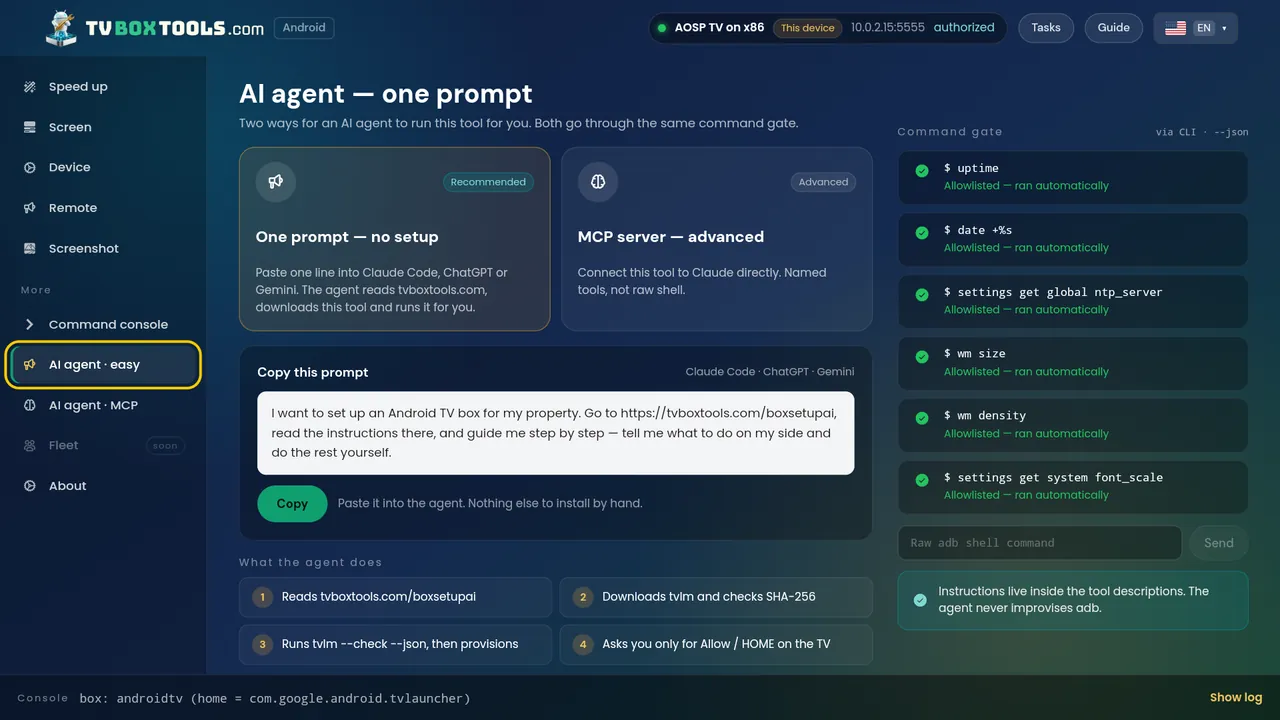
The one-line prompt
Paste this into the agent. Nothing else to install by hand.
Read https://tvboxtools.com/boxsetupai/ and https://tvboxtools.com/llms.txt. Download TV Launcher Manager for my OS from https://tvboxtools.com/dl/manifest.json, verify its SHA-256 against https://tvboxtools.com/dl/SHA256SUMS, then run `tvlm check --json` against my TV box and tell me what you found before changing anything. Ask me only for Allow / HOME on the TV.What the agent does, in order
- Reads this page and llms.txt.
- Downloads the tool from the manifest and checks its SHA-256.
- Runs
tvlm check --json: model, Android version, accounts, free space, current HOME app, developer options, debugging. Read-only. - Shows you the check and asks before
tvlm provision. - Asks you only for the two things a human must do on the TV: press Allow on the debugging prompt, and press HOME once at the end.
The CLI
tvlm discover --json                    # boxes on this Wi-Fi (mDNS + scan) and USB
tvlm check --json                       # read-only facts about the box
tvlm launcher --json                    # every app on the box that can be a home screen
tvlm provision --profile open --yes     # set the launcher as HOME, verify, record the undo
tvlm restore                            # put the previous home screen back
tvlm --mcp                              # start the MCP server on stdio
Every command accepts --json and exits non-zero on failure. Exit 2 is a usage error, exit 1 is a box that refused. It is the same tool for a hotel: --role owner --link CODE take the hotel road (Hotel TV, the room code); the hotel-side identities are at hoteltvapp.com/boxsetupai. The code is open source, Apache-2.0.
The MCP server
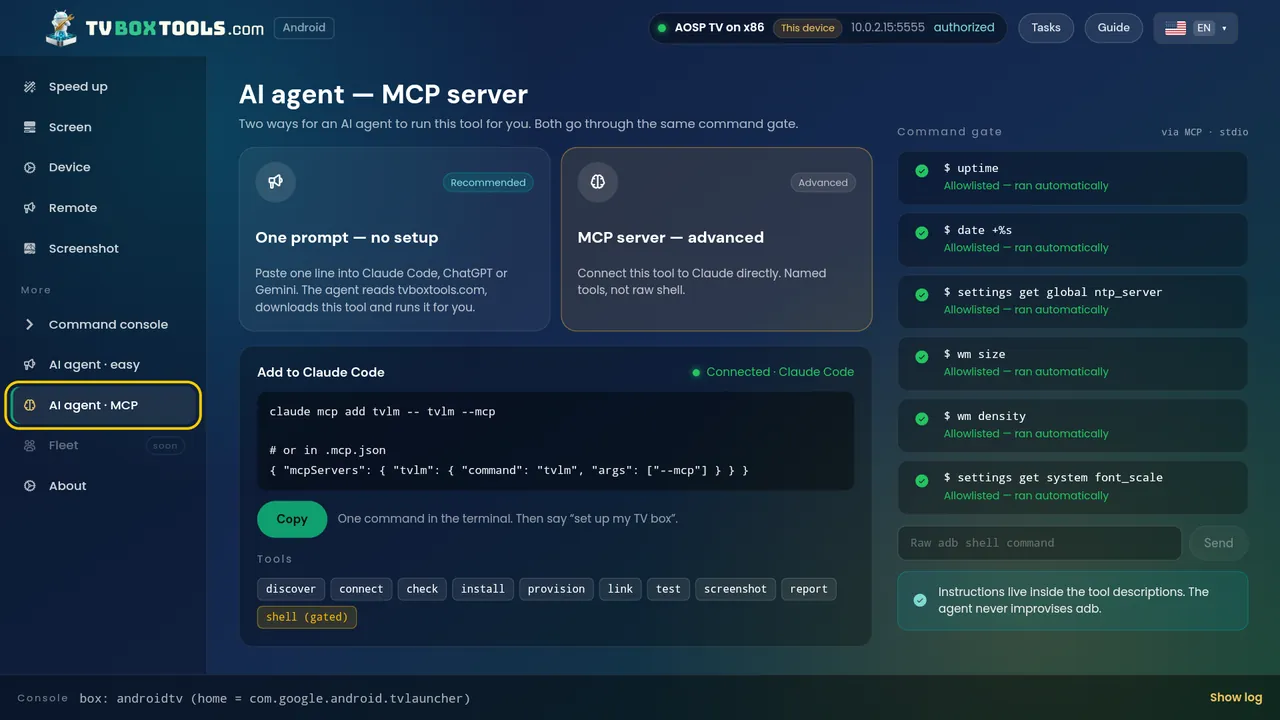
tvlm --mcp exposes named tools over stdio: discover, connect, check, launchers, set_home, restore, provision, shell. The shell tool is gated exactly like the UI; an agent cannot use it to get around the gate.
{ "mcpServers": { "tvlm": { "command": "tvlm", "args": ["--mcp"] } } }The command gate
- Runs without asking:
getprop,dumpsys,pm list,pm path,settings get,cmd package resolve-activity,cmd package query-activities,am start,input keyevent,screencap,df,ls. - Asks a human first: everything that changes the box —
cmd package set-home-activity,pm disable-user,pm enable,install,appops set,settings put,am broadcast,reboot. - Refused, no exception:
reboot bootloader,reboot recovery,pm uninstallof a system package,wipe,dpm remove-active-admin,dpm clear-*,rm -rf,dd,fastboot,su,factory. Turning debugging off is refused except as the last step of a handover the human asked for.
Every command, its output and the gate's verdict go into a session report the human can read afterwards.
What it never does
- Never downloads or installs another developer's launcher. It lists what is on the box; if the human has none, it names the known launchers and links to Google Play.
- Never factory-resets, never roots, never signs into a Google account.
- Fire TV is out of scope: Amazon does not let a third-party app hold the home screen there, and the sticks from the Fire TV Stick 4K Select (October 2025) run Vega OS, not Android, so no Android app installs on them at all.
Identities the agent may need
- Tool package:
com.tv.launcher.manager.adb.tvboxtools. Version 0.2.3. One tool — there is no separate kiosk edition. - Verify HOME:
cmd package resolve-activity --brief -a android.intent.action.MAIN -c android.intent.category.HOME. The-ais required; without it a real box answers "No activity found". - Stock launchers: Google TV
com.google.android.apps.tv.launcherx, Android TVcom.google.android.tvlauncher. Undo of a disable ispm enable <package>. - Publisher: Smartago (smartago.net). Support: support@smartago.net.