Guide · Updated September 2026
How do I put a guest TV system on my hotel or BnB TVs?
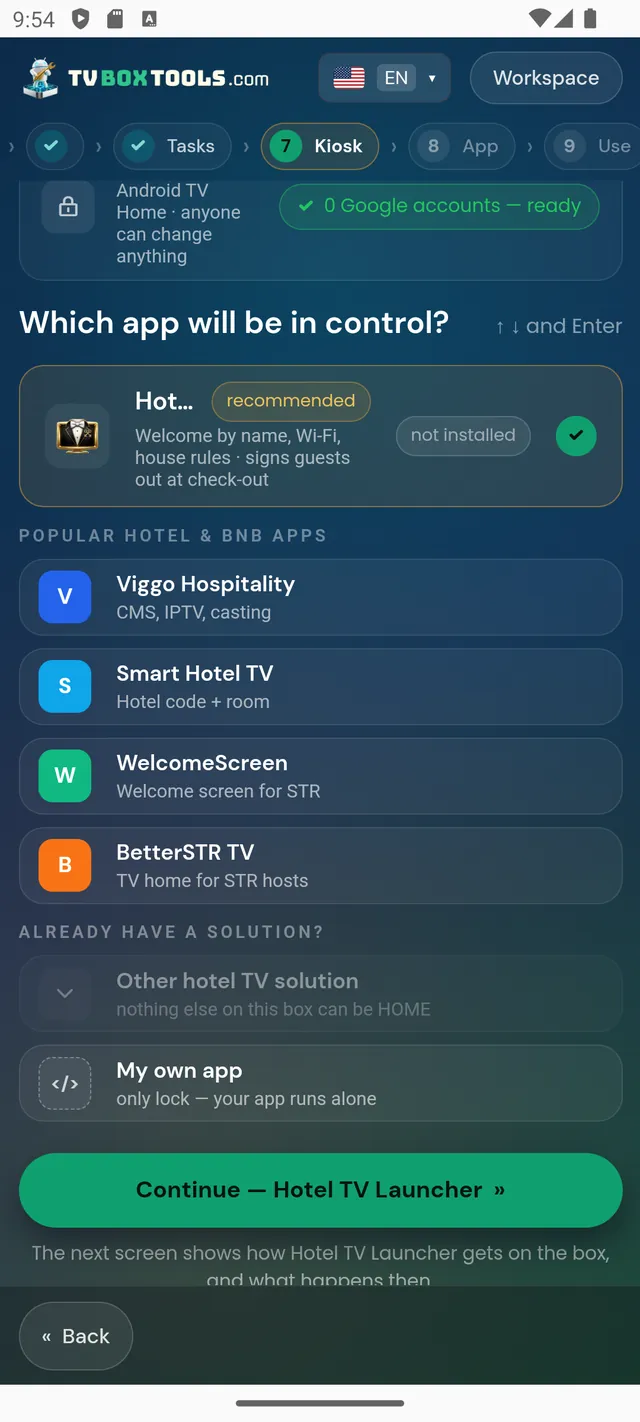
With the same free TV Box Tools everyone uses at home — pointed at a property instead. On each box it installs Hotel TV, links the TV to its room in your hoteltvapp.com dashboard with an 8-digit code, and hands the box over to the app, which becomes its owner: HOME pinned across reboots, settings behind your PIN, nothing a guest can break from the couch. Hotel TV is free for your first year, then $1 a month or $10 a year per property — however many TVs it has.
What the guest sees
A clean home screen with your property's name on it: your welcome and info pages, the places you recommend, and the streaming apps you chose — instead of the stock home screen and its ads. You edit all of it from the hoteltvapp.com dashboard; the TVs follow.
What the tool does to each box
- Installs Hotel TVOver the box's own debugging connection, every file SHA-256 checked. Works on Android TV 7+ and Google TV boxes.
- Links the TV to the roomThe TV shows an 8-digit code; you type it in your hoteltvapp.com dashboard and the TV belongs to that room from then on.
- Hands the box over to the appHotel TV becomes the owner of the box: HOME is pinned to it across reboots and the box's settings sit behind your maintenance PIN.
What it costs
The tool is free and open source. Hotel TV is free for your first year — the year starts when you put it on your first TV — and then costs $1 a month or $10 a year per property, with no cap on how many TVs the property has. Current terms are always at hoteltvapp.com.
If a TV needs a box too: a solid Android TV box is a one-off cost of about one night's booking per room — and it replaces the second remote, the slow built-in menus and the daily “what's the Wi-Fi?” question. Compare that with what a smart lock alone costs.
The boundaries, written down
- It installs Hotel TV and nothing else — no streaming apps are installed for you, and no content comes with the box.
- Guests are not tracked: the TV shows your pages; what guests watch inside streaming apps stays inside those apps.
- Leaving is allowed: unlink the TV in the dashboard, and a factory reset returns the box to stock — nothing hidden stays behind.
Questions
How many TVs can one property have?
As many as it has. The price is per property, not per TV.
Can I start with one TV?
Yes — that is the normal way. Set up one room, live with it for a few days, then roll the rest. Your free first year starts with that first TV.
Which boxes and TVs work?
Android TV 7 and newer, and Google TV — most boxes and most Android-based TVs. Fire TV is not supported.
Do guests need accounts or see ads from us?
No accounts, and Hotel TV shows no ads of ours — the home screen is your property's, not an ad surface.
Someone sells ready-made boxes with this — is that allowed?
Yes. The tool is Apache-2.0 and made to be scripted, so installers and box sellers can prepare boxes in batches. The property still owns its dashboard and its subscription.
See the dashboard and set up your first TV
hoteltvapp.com — the dashboard Hotel TV answers to
Open hoteltvapp.com